
What to Look for in a Peg Board Activity for Preschoolers

A peg board can look simple and still hide the details that make setup drag. When the target is hard to read or the workflow has to be rescued, the adult slides back into the operator role.
Experienced screening starts with visible targets, contained tabletop fit, and included essentials rather than a long feature list. That filter removes the options that look flexible in the listing but create more restart cost once they reach the table.
Quick Take
- Choose the option that shows a clear target, stays contained on a small tabletop, and includes the core pieces needed to begin without improvising the workflow.
- Adjust upward only when the same board still looks easy to read after the guided start and can support replay without changing the core setup.
- Stop when the listing leaves the included parts, prompt clarity, or material boundaries unresolved, because uncertainty here usually turns into restart work later.
What to prioritize first
Prioritize clear targets, contained fit, and included essentials before chasing extra patterns or visible variety. A board that starts cleanly usually ages better than one that looks impressive but needs constant rescue.
What Makes a Peg Board Beginner-Ready

Beginner-ready is one of those phrases that sounds useful until it has to survive a real setup. When the board does not show the task clearly, hesitation rises fast, and the adult ends up translating the activity instead of watching the child enter it.
Experienced operators screen for a visible target, a stable peg path, and a format that reads cleanly before any explanation is added. The false shortcut is assuming that a larger or busier layout automatically makes the activity easier.
Beginner-ready checks
- The board should make the next move visible rather than forcing the child to wait for interpretation.
- The peg layout should look stable and readable, because visual structure is doing part of the teaching work.
- The format should feel proportionate to tabletop use rather than relying on a large spread to feel usable.
A board can look busy in a way that feels impressive in a listing but confusing in routine use.
Which Parts Reduce First-Use Friction
A set can look complete and still hide the first-use workflow. That is where prep cost quietly shifts out of the listing and into the session, and the routine starts tired before the child even touches the board. The real drag is not only time loss. It is the feeling that each setup has to be rebuilt from scratch.
Experienced screeners look for included parts and inspectable workflow cues before they give credit to the format. A board with a clear first-use workflow and reference cards removes guesswork; the false shortcut is telling yourself you can fill in the missing structure later without paying for it in patience.
Workflow screen before checkout
- Look for the board, bands, and reference cards to be clearly included, because the workflow should start from the box rather than from improvisation.
- Check whether example builds or how-to images make the action sequence obvious, because unclear listings usually hide extra setup work.
- Treat vague included-parts language as unresolved, because first-use friction often comes from what the buyer assumed was already handled.
If the listing leaves the workflow implied rather than shown, the burden usually moves upstream to the buyer.
How to Judge Grip, Size, and Safety

Physical fit gets underestimated because the listing makes everything look manageable. In practice, poor visual spacing, a layout that spreads too far, or loose parts with unclear boundaries can turn a small tabletop session into something that feels harder to supervise and harder to reset.
Experienced screening here is quiet but strict. The board should look readable in close use, contained on a small tabletop, and honest about material boundaries such as elastic bands. The false shortcut is judging fit from a flattering product photo or assuming that seller language settles the boundary question for you.
Physical fit checks
- The board should look easy to read and handle in close use, because visual crowding raises error and hesitation together.
- A small tabletop format helps only when the activity still feels contained during use and after use.
- Material boundaries matter early when elastic bands or other loose parts are involved, because household fit is a decision issue rather than a detail to postpone.
Seller-stated safety or material language should not be treated as proof on its own.
When Visual Prompts Help Preschoolers

Visual prompts are not decorative. When they are noisy, vague, or too packed, the child stalls, the adult steps back in, and the board starts to feel like work that has to be managed rather than an activity that can be picked up again easily. That is how patience drains and routines get dropped.
Experienced operators use visual prompts as an entry tool, not as a display feature. Good prompts reduce interpretation load and support shape-copy practice with a clear next move; the false shortcut is assuming that more card content means better guidance.
Prompt quality cues
- Visual prompts should show a clear target, because the child needs to see what success looks like before action starts.
- Reference cards earn their place when they support shape-copy practice without overloading the scene.
- Prompt density should support focus rather than spectacle, because too much visual information weakens the cue instead of strengthening it.
More patterns on a card can look like more value while quietly making the task harder to enter.
How to Check Replay Value and Progression

Replay value breaks down when the board runs out of meaningful next moves too quickly. Then the activity becomes something that looked promising in the box but starts collecting hesitation after a short burst of interest, which is often the beginning of shelf abandonment.
Experienced screening does not confuse pattern quantity with progression. What matters is whether the same board can move from guided copying toward simpler independent use while keeping the logic loop familiar; the false shortcut is equating visible variety with real staying power.
Replay checks
- Replay value is stronger when the same board can support different target paths without changing the core format.
- Open-ended use matters after guided copying, because progression is easier when the child can stay on familiar ground while stretching the task.
- Fine-motor practice is more likely to last when the board keeps the logic loop stable instead of demanding a fresh setup each time.
A large pile of patterns can create the appearance of variety without creating a real progression path.
What to Verify Before You Buy
Most mismatch happens before checkout, not after delivery. A buyer moves too fast, assumes the missing details will sort themselves out, and later discovers that the board does not fit the intended routine, the listing did not settle what was included, or the practical boundaries were never clear in the first place.
Experienced screening ends with verification, not optimism. If the included parts, prompt clarity, and fit to your use case are still unstable, the conclusion is unstable too. The false shortcut is reading broad seller language as if it were a full answer to the decision.
What to avoid early
- Do not treat implied included parts as settled.
- Do not confuse a busy layout or a long pattern list with an easier start.
- Do not let broad seller language replace a clear answer about fit, prompts, or material boundaries.
Pause the purchase when
- The included parts are implied rather than clearly stated.
- The prompt quality cannot be inspected from the listing.
- Seller claims sound stronger than the proof that is actually shown.
- The format does not match your real use case, even if the listing says it is versatile.
Versatile language often hides the fact that the setup still serves a narrower routine than the buyer expects.
Wrap-up Checks
Choose the peg board that looks clear to start, contained to run, and complete enough to avoid rescue work, then stop the decision the moment those basics turn vague.
- The target is easy to read from the listing.
- The workflow can begin without guessed missing parts.
- The format still fits the table and the household boundaries.
- Replay looks possible without rebuilding the whole activity logic.
Search again when the listing leaves the workflow unresolved, the visual prompts look noisy, or the format only works if the adult keeps patching the experience.
Use the quick checks as a rejection filter and keep only the options that still look easy to start after the first guided round.
FAQ
What are the benefits of peg activities?
The main benefit is not the board alone but the structured task loop it creates when the target is visible, the setup is repeatable, and the activity is easy to reuse.
Benefits are easier to judge when the task structure is visible, because repeatable steps reduce setup drag and make reuse more realistic.
The value is also in workflow fit, because a contained board can make short table sessions easier to start and easier to revisit.
A strong first session and long-term variety are not the same thing, so the board should be screened for both entry and replay.
What do children learn from peg boards?
What children get from peg boards depends on the task mode, but the strongest starting value usually comes from visible guided work that can later widen into more independent use.
Learning value changes with the task, because copying a visible target and extending beyond it ask for different kinds of control.
The clearest early path is structured shape-copy practice, because visible guidance makes the board easier to interpret.
Progression matters after the guided stage, because the same grid becomes more useful when it can hold a familiar logic loop while the task becomes less directed.
How do I know whether a peg board will feel easy to start?
It will feel easier to start when the listing makes the workflow visible, the included parts are clear, and the child can see the target without long explanation.
An inspectable workflow matters before purchase, because example builds and visible included parts lower day-one uncertainty.
A better start shows the task clearly, because the child should be able to read the next move without heavy interpretation.
Reference cards help most when the goal is guided entry, because they remove the need to invent the task before the activity has even begun.
What should I look for if I need a small-tabletop format?
Look for a board that stays proportionate to the table, remains contained during use, and does not hide cleanup or loose-part friction behind a compact photo.
Small-space fit is only useful when the board still feels contained while the activity is happening.
After-use reality matters too, because cleanup and loose-part handling affect whether the format remains practical in routine use.
A table-friendly choice is easier to repeat when the footprint stays manageable from setup through reset.
Are reference cards worth it for first use?
Reference cards are worth it when they lower interpretation load and give the child a clear target instead of adding more visual noise.
They help most when they make the task legible, because the child can copy a visible target rather than guess what the board is asking for.
Their value is strongest at the start, because a guided opening lowers friction before the activity asks for more independence.
They are less helpful when they look busy, because crowded prompts can make entry harder rather than easier.
Recommended picks
Quick matches for this article

For preschool tabletop use, this peg board aligns with short screen-free sessions.
Wooden Peg Board Fine Motor Toy for Preschool Kids
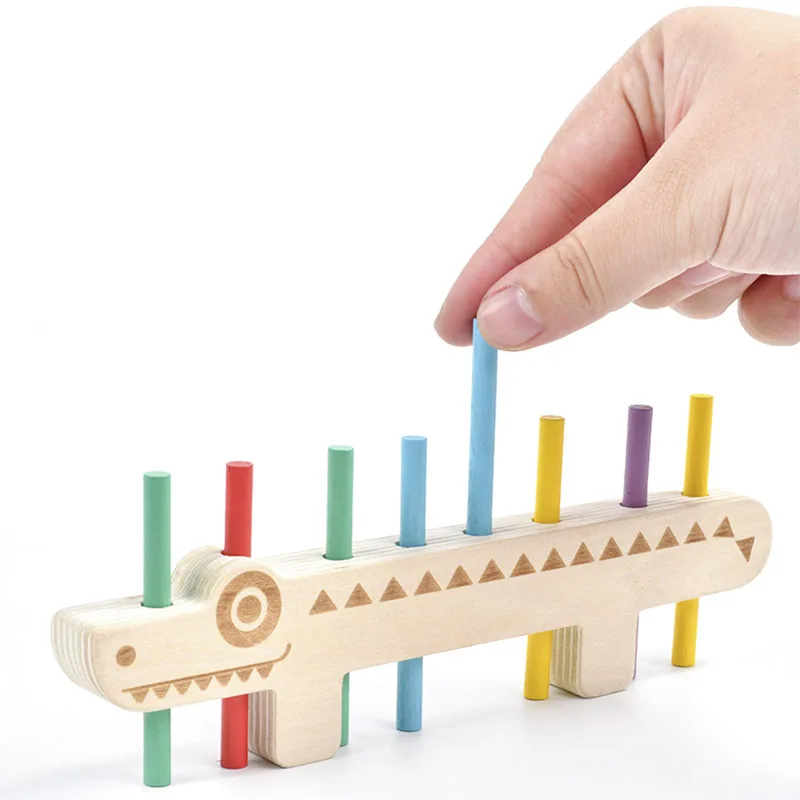
For guided tabletop play, this peg board aligns with activity cards and pattern matching.
Color Matching Peg Board | Counting Sticks & Cards

For shape-copy practice, this geoboard aligns with pattern cards and latex bands.
Wooden Geoboard Nail Board with Cards for Children


