
How to Keep Shape Activities Manageable on a Small Table

A small table gets overloaded long before the activity looks difficult. When the setup spreads, the real cost is not clutter alone. It is extra explanation, slower restart, and a routine that starts feeling heavier than it should.
A better screen starts with boundaries, visible targets, and a return path that stays obvious after the first round. If those cues are missing, variety often turns into drag.
On this page
Quick Take
The usual mistake is trying to make a small table feel useful by putting more on it. That creates visible load before the activity has even earned attention, and the table starts working against the routine instead of supporting it.
What matters first is not variety but control: where the task begins, where it ends, and whether the next move is obvious without another round of explanation. On a small table, a fuller setup often just feels heavier.
What to prioritize first
- Keep the work zone smaller than the whole tabletop.
- Use a format with a visible target and a clear next move.
- Start with only the active materials, not the full set.
What makes a shape activity table-friendly

A shape activity stops feeling manageable when the table turns into storage, sorting space, and work zone at the same time. Once that happens, the table may still look small, but the decision load gets larger because every move competes with everything left in view.
The better filter is whether the format keeps its boundary under use, not only in a staged photo. A board with a visible grid and a stable work area helps because the task has a fixed center. The weak shortcut is trusting a setup that appears compact until the loose overflow starts to take over.
Table-friendly checks
- The work area stays defined instead of leaking outward.
- The target stays visible without extra staging.
- The task fits the table without needing overflow space.
A compact look is not enough if the activity still spills beyond the main work zone during use.
What lowers setup load before first use

Setup friction rarely fails at the table alone. It fails earlier, when the format asks for extra gathering, extra sorting, or another explanation pass before anything useful can begin. That hidden cost matters because the routine starts tired, and once a routine starts tired, it gets skipped more easily.
The best low-prep format does not just look simple; it lets the first action happen without rescue. Reference cards help because the target is visible before the task is verbalized. The false simplicity is a setup that seems flexible but quietly demands more operator effort before the child can act.
Lower the start load
- Use a format that arrives as a working set, not a project that still needs gathering.
- Let the target explain the task before the adult has to.
- Return the activity to the same footprint after use so the next start feels familiar.
A setup can look simple and still push the real prep upstream.
Which shape tasks fit limited table space
Some shape tasks look manageable only at the start. The problem shows up when the table has to hold the active work, the extra materials, and the unfinished possibilities all at once. That is where a small surface stops feeling efficient and starts feeling narrow in the worst way.
A stronger route is a task with a visible endpoint and a stable work center, because it keeps the table readable even while the activity is active. Pattern copying on a fixed grid tends to hold that shape better than a broad spread. The wrong shortcut is choosing the task that feels more open when the table is the very thing that cannot absorb open-ended drift.
Fit checks for the task itself
- Prefer tasks with a visible stop point.
- Keep the task readable from the center of the work zone.
- Avoid formats that need broad spread before they feel complete.
A compact setup is not the same as an open-ended setup that happens to begin small.
What to check before rotating materials

Rotation looks harmless until restart friction begins to collect. A format can be workable once and still become something people stop taking out because every new round asks for more patience than the previous one. That is how useful units turn into shelf weight: not by failing loudly, but by asking for one more reset than the routine wants to pay.
The experienced filter is not how much is included in theory but whether the next round stays clear in practice. Replay value matters only when it does not multiply the restart burden. More options often mean more ambiguity unless the workflow cues stay obvious.
Rotation checks
- Keep the next target clear before adding more variation.
- Rotate only when the table footprint still feels stable.
- Treat replay paths as more important than raw count claims.
Unverified included counts should not carry the whole decision.
Why visible targets make repeat use easier

Repeat use breaks down when the task has to be reintroduced every time. That makes the activity feel less independent than it looked at first, and the adult quietly slides back into the operator role even when the materials are already on the table.
Visible targets reduce that drift because they make the task legible before the explanation starts. How-to images and matched examples matter for the same reason: they remove ambiguity at the moment that usually causes hesitation. If the target is vague, repeated exposure rarely fixes the workflow.
What repeat use needs
- A clear target that shows what success looks like.
- A next move that can be read without a fresh explanation.
- A finished result that still fits inside the work zone.
When this format may not be the best fit
A setup can solve the space problem and still miss the real fit problem. That usually happens when the household needs a fully contained routine with fewer material boundaries, or when the intended use is broader than the table-friendly structure can comfortably support.
The better move is to call the limit early instead of forcing a near-fit to behave like a full fit. A contained board-and-target format works best when the value is clear boundaries, visible targets, and repeatable sessions. It is a fit filter, not a universal answer.
Stop cues
- Stop if tracking loose parts is already the weak point of the routine.
- Stop if the intended use is broad floor play rather than a contained table setup.
- Stop if the material boundary does not match the child or the household.
Wrap-up checks
Keep shape activities manageable on a small table by choosing the format that stays contained, explains itself through visible targets, and does not make each restart feel heavier than the last.
- The work zone stays smaller than the whole tabletop.
- The next move is visible without another full explanation.
- Repeat use still feels light instead of turning into avoidance.
Search again when the routine still depends on overflow space, repeated rescue, or a looser material boundary than this format can comfortably support.
Use the quick screen first, then test whether the next round stays clear before adding more variation.
FAQ
How can I make a small table feel more stable for shape activities?
Shrink the active work zone, keep only the current materials in play, and use a format with a visible stop point.
A table usually feels unstable when it is doing too many jobs at once. A contained work zone lowers that pressure because the task has a defined center, and visible targets make the next move easier to read.
What works better on a tall, narrow table?
A tall, narrow table usually works better with shorter tasks, tighter boundaries, and formats that do not depend on side overflow.
A narrow surface exposes spillover faster, so open spread becomes a problem sooner. A task that stays centered and readable from one work zone is usually the safer fit.
Which shape activities are easiest on limited table space?
Shape activities with clear endpoints and visible targets are usually easier to manage than broad mixed-material setups.
The real issue is not whether an activity teaches shapes in theory, but whether it fits the surface without turning the table into a second job. Copy tasks often hold up better because they keep the task size visible and easier to restart.
How can cleanup stay easy after each session?
Cleanup gets easier when the activity returns to one predictable footprint instead of being re-sorted across the whole table.
Cleanup turns into drag when too many materials stay active past the point where they are useful. Keeping only the current materials in play makes the reverse step shorter and more repeatable.
Recommended picks
Quick matches for this article

A compact small-table option with pattern cards and a 15 x 15 cm board.
Wooden Geoboard Nail Board with Cards for Children

Useful for tabletop shape work with a 14 x 12 cm tray and repeat-play layouts.
Wooden Hexagonal Tangram Puzzle Board for Kids
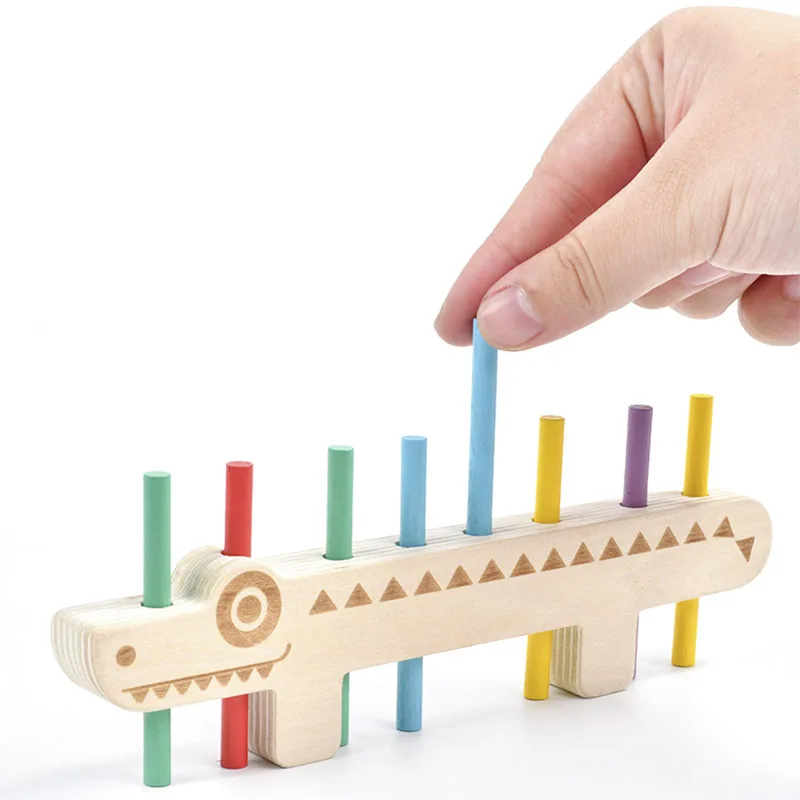
A guided tabletop choice with activity cards and pattern matching support.
Color Matching Peg Board | Counting Sticks & Cards

A compact tray-board format for tabletop matching and contained stacking play.
Wooden Honeycomb Puzzle Toy for Tabletop Play

A compact, screen-free board for simple shape matching on a small table.
Wooden Shape Puzzle for 3–6 Year Olds | Montessori Math Toy


