
Ten Frame vs Counting Blocks for Teaching Addition and Subtraction Which to Choose
Both tools can work, yet the choice stays fuzzy once you try to run a real session. Setup and cleanup drift can break the flow before the task is even clear. A neutral chooser plus a repeatable loop is usually more useful than collecting extra tips. A pause and reset boundary matters as much as the tool itself.
On this page
Quick checklist and a simple choice rule
Quick checklist
- Start with one tool and keep prompts minimal.
- Keep materials visible and limited so you do not rebuild the setup mid-task.
- Use a simple cue and a clear reset so practice stays repeatable.
- When uncertain, rely on a checklist before narrowing options.
What each tool makes easier

- What stands out: Ten frames: Structure and benchmarks; Counting blocks: Build and break actions
- What stays clear: Ten frames: Quick checking and grouping; Counting blocks: What changed after a move
- Common friction: Ten frames: Looks right but still feels vague; Counting blocks: Turns into moving pieces without a check
- Works best when: Ten frames: You want stable structure; Counting blocks: You want visible change by touch
- Plan a pairing only after each tool has a clear job in the routine.
- If a tool seems right but guessing stays high, switch to the tool that makes feedback obvious.
- If tradeoffs feel close, pick the option with less friction in setup and handling.
Where each tool fits in a learning path
Fit checks
- Start with the tool that reduces guessing and supports quick checking.
- Use ten frames when structure-first signals matter more than movement.
- Use blocks when build-and-break actions clarify what changed.
- Pair tools only after each one has a clear job in the routine.
- If you switch tools and nothing changes, the task may be unclear rather than the tool being wrong.
- When the move feels clear but the result still feels fuzzy, simplify the prompt before changing tools.
A learning path decision is less about labels and more about what stays visible after each move. If you can check outcomes without extra prompting, you are closer to a stable routine; if you cannot, change the tool or simplify the task until feedback becomes obvious.
A repeatable routine you can run at home

A simple loop
- Set a clean surface and keep only the needed pieces within reach.
- Show the prompt in a stable way before any pieces move.
- Build the move with the chosen tool, then pause to check what changed.
- Adjust the move only after the check feels clear.
- Reset the layout to a tidy starting state before the next prompt.
- End on a clear stop point and store parts together for next time.
- If the loop starts to stall, reset the layout instead of adding a new rule.
- Keep only the pieces that match the prompt in reach so you do not chase parts mid-loop.
Make the routine stick
- Keep the cue visible so turns do not blur together.
- Use make ten style prompts only when the visual stays stable after each move.
- If the check requires recounting every time, simplify the prompt or switch tools.
- If you pair tools, give each one a distinct role rather than mixing moves.
A repeatable at-home math routine works when each move produces feedback you can see without extra narration. If the setup starts to do the work for you, the routine becomes fragile; keeping the surface clean and the checks simple is what preserves the loop.
Decision checklist to choose one or use both

Product page checks
- Alignment: frames, counters, and prompts should point to the same task.
- Friction: setup, cleanup, and piece handling should feel manageable.
- Feedback: results should be visible without counting by ones.
- Pairing: if you use both, decide which tool starts the move and which tool verifies it.
- Browse a category page by learning goal to shortlist options.
- Open a product page to confirm components and handling before you decide.
- If the set description stays vague, treat it as uncertain and keep the shortlist narrow.
- If cleanup and storage feel annoying, that friction will repeat even if the tool is strong.
- Pick a single task you want the tool to make easier.
- Shortlist options that match that task, then check friction and feedback.
- If two options feel close, choose the one that supports a cleaner reset.
Neutral criteria work best when you can verify them quickly without relying on extra claims. If you cannot tell what a set lets you check after a move, you will likely end up narrating the session instead of running it.
Pause cues and boundaries

Pause cues
- Pause when attention drifts, mistakes pile up, or tension shows up.
- Reset the layout before continuing; avoid stacking new rules mid-loop.
- Keep language neutral and describe what you see, not what you expect.
- If the session stops being usable, stop and return later.
- If tension rises, the next move is a pause and reset, not a harder prompt.
- Notice early signs of drift and clear the surface before the loop degrades.
FAQ from common questions
- Keep the first answer short and concrete.
- Expand only with task cues, boundaries, and a small set of checks.
- Tie guidance to observable tasks, not guarantees or brand claims.
- If a question pulls toward abstract rule debates, bring it back to what the learner can see and do.
- If advice depends on extra claims you cannot verify, treat it as optional and move on.
Wrap up pick try and adjust
- Pick one starting tool, then run the routine until it feels stable.
- Switch or pair only when the current tool stops giving clear feedback.
- Notice what breaks the flow most often: setup, rules, or attention.
- Save a short shortlist that passes the checklist, then confirm fit on a product page.
FAQ
Start with a task that stays visible after each move, so checking is simple and guessing drops.
Add variety only after the loop feels stable, otherwise the setup becomes the lesson.
Ten frames tend to make grouping and benchmark thinking easier to see after a move.
They pair well with counters when you want structure and touch without changing the routine.
Choose the next step by what the learner can do with minimal prompting and stable checking.
When friction replaces feedback, simplify the task or switch tools rather than forcing a sequence.
Keep symbol-rule questions separate from hands-on quantity work, so the session goal stays clear.
If it keeps surfacing, treat it as a cue to narrow the task and return to visible checks.
Recommended picks
Quick matches for this article
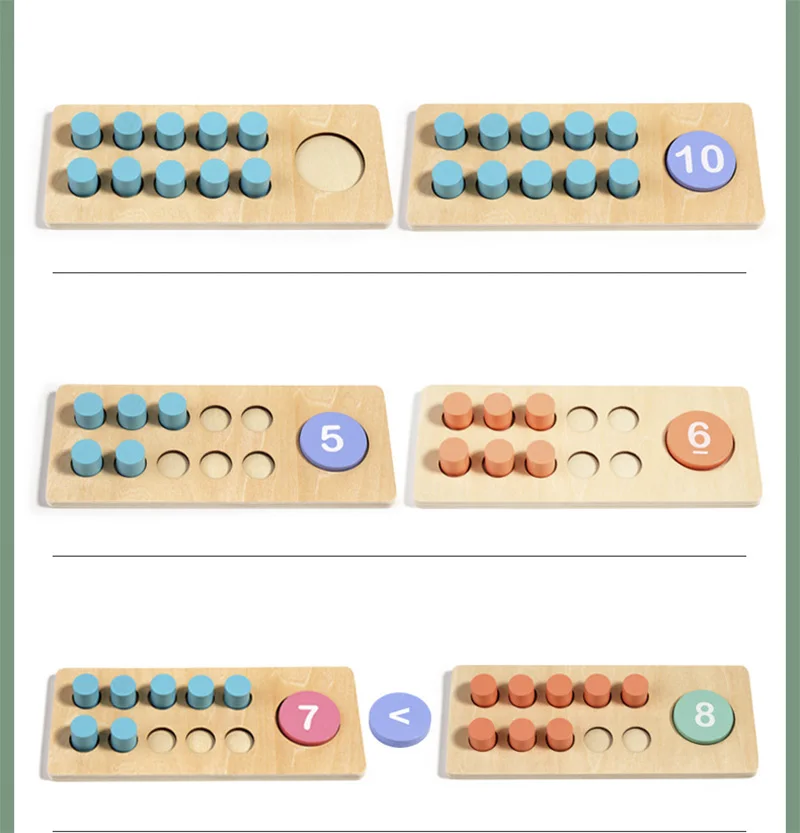
For addition and subtraction practice, this ten-frame kit includes equation cards.
Wooden Ten Frame Addition Subtraction Set | Ten-Frame Kit

Finger counting board for early math routines — number blocks and math cards.
Wooden Finger Counting Board | Montessori Math Toy
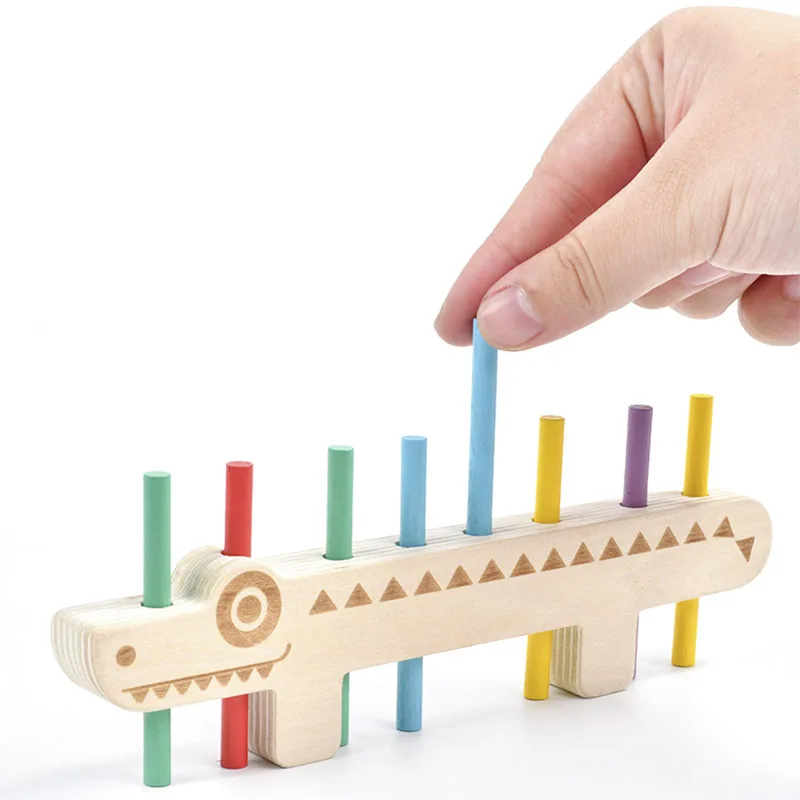
For hands-on early counting, this peg board includes activity cards.
Color Matching Peg Board | Counting Sticks & Cards

Magnetic bead maze board for quiet play — enclosed beads and stylus.
Montessori Magnetic Bead Maze Board for Ages 3–6


